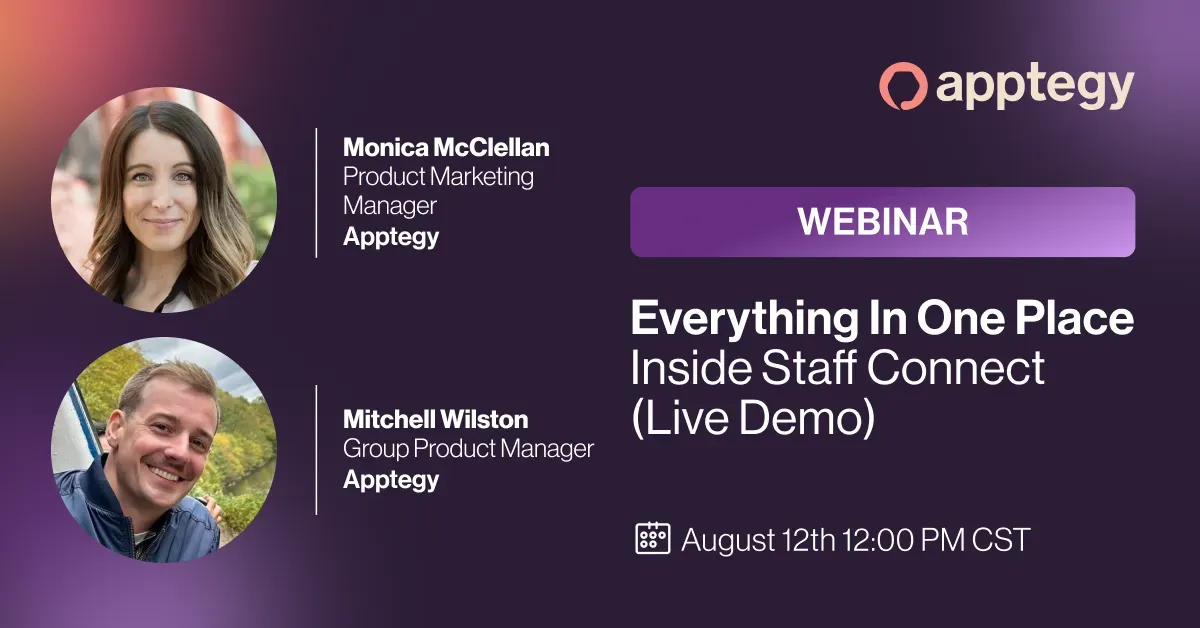
You've seen the problem and heard the strategies. Now see how Staff Connect brings it all together.
Join us for a live, end-to-end walkthrough of how districts are using Staff Connect as a secure staff communication hub, from the feed and content tabs to messaging and engagement data.
We'll also cover what onboarding looks like if you want to be live for the 2026-27 school year.
Related Resources
Stop Guessing Who Got The Message
Learn how South Dakota's Garretson School District transformed their fragmented staff communication by embracing one central platform for internal messaging and updates.
Transcript
Monica McClellan: Alright, I see a pretty steady number, so we're gonna go ahead and jump in. Hi everyone, welcome. This is our third and final session of our summer series around Staff Connect. We did our first session
Monica McClellan: in June, and then we had one last month. If you miss those, totally fine, I'm gonna catch you up. But this one, I think, is gonna be…
Monica McClellan: I think the most fun, we're actually gonna dive into Staff Connect and do a full, full demo of it.
Monica McClellan: Before we do, a couple of housekeeping things. So, first of all,
Monica McClellan: We are recording today's session, so if you, joined and have to leave early for whatever reason, you will get a follow-up email later this week, with a couple resources and the recording, so you can go back and rewatch if you need to. There is also a Q&A feature, as well as chat, so feel free throughout the entire webinar.
Monica McClellan: We will save questions, until the end, but throw them in there, and we will definitely get back to you on those. So, don't be shy. Engage.
Monica McClellan: Quick introduction. So, my name is Monica McClellan. I am product marketing here at Apptegy. I am joining from Fairfax, Virginia.
Monica McClellan: Product marketing is a fancy way of saying I'm in charge of launching new products here at Apptegy, and making sure our internal teams are, ready and able to support the new product.
Monica McClellan: While we're giving some more quick intros for Mitch and Zelda, I would love, love, love if you guys can throw your role, where you're joining us from. We love to be able to see, districts, where they're joining us from all over the country, so, feel free to add in.
Monica McClellan: And then with that, Mitch, I'll hand it over to you to give a quick intro.
Mitchell Wilston: Yes, nice to meet everybody. I'm Mitch Wilston, I'm a product manager. I might have been on some meetings with some of you guys and gotten the chance to talk, but I get to, work with our engineering and our design teams and come up with solutions that hopefully address some of your guys' needs.
Monica McClellan: Oh, Zelda, do you want to do a quick intro?
Zelda Engeler-Young: Yeah, hi, I am Zelda, I'm part of the client experience team here, so I get to spend my day working directly with clients like you on onboarding our products and learning about the tools, so I've gotten to work with a lot of districts specifically on Staff Connect this summer, and it's been a real treat.
Monica McClellan: Amazing. Barrett… and you… Barrett, you want to do a quick intro of yourself?
Barrett Goodwin: Sure, hi everyone. I'm Barrett on our Marketing Operations side, and so glad you're here.
Monica McClellan: We've got a lot of, a lot of, different folks. I'm seeing Louisiana, I'm seeing Georgia, Texas, Michigan. Oh my gosh, thank you for joining us on our fir- on your first day of school. That's exciting.
Amazing. Well, we're so, so glad you're here. Like I said, today's session is probably my most favorite, because we're actually going to dive into Staff Connect, and what it looks like.
Monica McClellan: So…
Monica McClellan: Before we do that, I want to do a quick recap of what we chatted about in the last couple of sessions, because they definitely funnel into this overall Staff Connect session. So, the previous two sessions, we actually didn't dive into Staff Connect. We actually talked more about the
Monica McClellan: diagnosing the issue that we are hearing, or the pain point that we're hearing within school districts, and then the strategy that we built the entire foundation of Staff Connect on. So, I'll take a step back and say.
Monica McClellan: Here at Apptegy, all day long, all week, all month, we're talking to thousands of different school districts. One of the most… I think I learned this on day one of joining Apptegy, actually. One of the most, I think largest pain point we kept hearing from our districts is we love that Apptegy has solved, you know, the one-stop shop for communication to our communities.
Monica McClellan: But we really need something to solve the internal communication that we're, we're having issues with from staff to staff. They kept saying, internet, you guys need internet, you need internet. And so.
Monica McClellan: it was great that we kept hearing this pain point, but we were like, okay, let's dig into this a little bit more. When we create a product, we don't necessarily just, like, jump to a conclusion and build it. We do a ton of what we call discovery and understanding the pain point before we actually go and build, and that's what Mitch is here, he does a fabulous job at doing that in his specific role, but we took tons of data, conversations, calls, and started to really, like.
Monica McClellan: Pull back the layers in the onion to really understand what is actually happening
Monica McClellan: Within the district, and what are the big pain points, that they're, they're working through when it comes to internal communication?
Monica McClellan: And so, through all of the data points, and the conversations, and digging more into one-to-one conversations as well, and our CAB sessions, and SchoolCEO, if you don't know what SchoolCEO is, we host a huge conference every single year. The next one is next month in Dallas, Texas, so please go check it out. Please come if you don't know about it.
Monica McClellan: But the first session was really diving into those pain points, and so the… the number one thing that we kept
Monica McClellan: hearing is fragmentation. Like, we're emailing our staff here, we have our resources here in Drive, we maybe have SharePoint or some sort of static website that has some information, but that's not really solving the whole problem. We might have a text here, we might have newsletters here, we might have a bulletin board here. The fragmentation of all the communication was just…
Monica McClellan: Insane, it kind of makes your, your head spin.
Monica McClellan: The issue is, is not only the fragmentation, but then the staff weren't actually getting the information that they needed. They were inundated with information, they didn't know where to go.
Monica McClellan: there was really no reliable place that had that one source of truth. And so, we were walking through that first webinar, we were kind of pointing out all the pain points that we were hearing, and then the homework for that session was really diagnosing your own district. Obviously, you guys are interested, if you're here at this webinar, of solving for this internal communication, but what does that look like within your district, right? Where do staff actually go to find that information?
Are they digging through different things
Monica McClellan: Are they emailing certain people, being like, hey, I remember you sent this thing, but I can't find it, where did it go?
Monica McClellan: If you have a new staff member that's joining day one, do they know where to find information?
Monica McClellan: Right? Are they able to actually pull, from that one source of truth to find all the things that they need? And then can you measure it? I think that's a big one.
When we talked about the different layers of communication, most districts are set up where they have communication one-way broadcast. That's where we're seeing, like, 80%.
Monica McClellan: Maybe another 10% are able to then actually see, like, maybe some read receipts and, like, see who is seeing, depending on the channel, their updates or their communication.
Monica McClellan: pretty much no one is in this engagement layer where they're actually able to have two-way communication with their staff, see who's seeing it, but then the staff can engage back. And so we definitely noticed a huge gap there.
Monica McClellan: So then in the second session last July, we talked more about a strategy that we built Staff Connect upon, right? So we saw all these pain points, and we're like, okay, here are the things that we're seeing can help solve a lot of the issues when it comes to the pain points that we've identified. And so we walked through these five principles.
Monica McClellan: And this lands regardless if you have a product like Staff Connect or not, but Staff Connect obviously makes this way easier to implement with one specific tool than trying to layer on, more of these principles. And so…
Monica McClellan: These five principles lay on top of each other. So, first of all, you need one trusted place. That fragmentation was, like, the number one thing that we saw, and so one trusted place. So, maybe you still have email, maybe you still have Google Drive, but regardless, you have one trusted place where if they can't find information, they know they can find it if they go here.
Monica McClellan: It needs to be two-way communication. One-way broadcast isn't gonna work. You need your staff to be able to engage and respond back to you. If you're one-way broadcasting, then they have follow-up questions.
They're not gonna be able to get the information that they need based on that one-way broadcasting system.
Monica McClellan: You need to be able to also target
Monica McClellan: the right audience at the right time with their specific message. You know, if you're broadly
Monica McClellan: saying something to your entire district that's just for principals, that's where that inundation comes from, right? Or if you're texting your group, that's an issue where, hey, I'm getting this message, but it doesn't apply to me. You need to be able to have really targeted, relevant communication to your staff.
Monica McClellan: Instead of just broadly sending out to everyone.
Monica McClellan: Visibility and accountability is a big one. Some, like I said, some districts were able to see that visibility piece of it, but then holding them accountable, okay, these 5 folks saw them, I need to follow up with these 15 to make sure that they actually saw this, digested it, and engaged with it.
Monica McClellan: And then lastly, obviously, a lot of the staff, frontline staff, are on the move. They're not sitting at a desk all day long. We really need to have that mobile capability. And so those are the five, kind of, core principles that we layered on top of Staff Connect, and then built around it.
Monica McClellan: So with all that being said, I'm gonna hand it over to Mitch to run through Staff Connect, what this looks like, and then do an actual demo of the product.
Mitchell Wilston: Yeah, yeah, so real quick, I'll walk through what we're gonna see. When we talk about communication and content that goes out and we're trying to maintain this content flywheel, there's different kinds of content. We have, long-form content, and I'll show you how that works with our content tabs, and that's the kind of stuff that you might see in an older school intranet kind of intranet, or older school website kind of intranet, where it's like.
Mitchell Wilston: a web page. And then there's, like, announcement form content, which is kind of like in the middle, where you want everybody to see it, but it doesn't necessarily necessitate a formal webpage. And then we also have messaging, which is really, really quick bursts of content that is really specific to an individual.
Mitchell Wilston: And, we… we think we thread these… Together pretty well.
Mitchell Wilston: So I'm gonna share my screen here. Let's see… send request… And… I'll jump right in.
Mitchell Wilston: Let's see… let me get the right tab here.
Mitchell Wilston: Can you guys see my screen here?
Monica McClellan: Yep.
Mitchell Wilston: Okay, perfect. So, the way we have this set up is,
Mitchell Wilston: keeping everything within one spot, and we try to reuse UX experiences, because onboarding staff to a new experience can be really, really difficult. And learning how to do new things can be really, really difficult at the scale that you guys are working on. It's just a lot of education.
Mitchell Wilston: So, the goal of this is that if you learn how to do something on the Apptegy platform, you know how to do that everywhere within the Apptegy platform. If you're messaging a Guardian, if you have our Group Connect package, it's the same
Mitchell Wilston: experience as messaging staff. You don't have to relearn things or hop between different platforms. So, to go through the different types of content, I'm right now on the feed of our All Brookwood staff. Brookwood is just a test account that we have.
Mitchell Wilston: And everybody in our district is in here, and we do these announcement posts for content that is actionable, and we need to make sure that people see it, and we want to close the loop on who sees stuff, too, and have some observability or auditability to make sure that people are getting the right information. So, in this example, Zelda had posted, this is back from May, hey, summer's approaching, make sure that you
Mitchell Wilston: return your Chromebooks, and if this was an email, you gotta hope people see it, but you can check and see with our announcement insights, okay, I see that there's 108 staff members here, and a lot of people saw it, which is good, but
Mitchell Wilston: I have 41 people that didn't see it. I now have a short list of people to go follow up with, whether it's chasing them down in the hallway, if it's a really short list, or messaging them, or just sending a follow-up. It helps you close the loop and make sure that the content that you're putting out actually does get seen.
Mitchell Wilston: We have it set up so that you can have different intranet spaces, depending on the different needs. We see a lot of people creating one with all staff, but then as you can see in my recent ones over here, there's a coach's corner, and you might have a space that is just for coaches with information that is only relevant to coaches. And with the feed, you can have it set up so there can be back-and-forth communication, or if you go into
Mitchell Wilston: settings here, you can actually change it so there's a lot of control over who can communicate and in which way they can communicate. If you only want staff to be able to react, thumbs up, thumbs down.
Mitchell Wilston: That's fine. If you want them to be able to comment, that's fine. You can limit it so there's no collaborative features, and it really is just a one-way blast, which, for some, for some use cases, that's, like, really relevant.
Mitchell Wilston: You don't even have to choose all or nothing. For any given post, you can turn off comments and reactions just for that post. So maybe most of the time, you want to see comments and reactions, but every once in a while, there's a post that you really don't want.
Mitchell Wilston: people asking sensitive questions to in that thread, you can just turn it off.
Mitchell Wilston: So you can just kind of see, like, the type of stuff, hey, FYIs, reminders, the kind of stuff that you might post on a bulletin board or send as an email blast. But we also need that long-form content that you would typically have on, like, a website behind a pay… a pay… not a paywall, a website behind, like, a login. So, in this example, I have, technology services, so if someone is being
Mitchell Wilston: onboarded, and they need to, you know, troubleshoot their Wi-Fi, or they have a request.
Mitchell Wilston: you can see exactly when it was last updated to make sure that it's current. You can, depending on, you know, the type of content that you have, there's the ability to build out really, really robust content and add lots and lots of pages if it is a really content-heavy subject. When you go in to edit content, it is the same page builder experience that you are familiar with if you are a website client and you build
Mitchell Wilston: websites. It's a little bit more limited, just based on the use case. There's some stuff that works
Mitchell Wilston: well for a public-facing experience, and not so well for an internal experience, so there's not quite all of the content modules available there. But, you can update it, edit it, and because this is all
Mitchell Wilston: in one platform. It makes it really easy for me to, if I am a moderator who's in charge of maintaining all of this stuff, I could be helping someone find content and being like, oh man.
Mitchell Wilston: MacBook or iPad, we switched to being a Windows district. Let me message Nick real quick, and I just pull it up, and I can, message the right people, and, send him a note right now that says, like, hey, we need to update
Mitchell Wilston: We need to update the intranet page.
Mitchell Wilston: And he will get that, and he can jump right in and edit it himself. So you're not jumping between different platforms, you're not jumping all around trying to log into a bunch of stuff. All of your communication.
Mitchell Wilston: Whether it's controlling the external communication, controlling the internal communication, or even communicating about communication, which happens a lot in the roles we sit, is all done in this platform.
Mitchell Wilston: If I… we also have, materials, so, you can drop in assets, and you can link to the assets, you know, just like you would… these… these buttons are hyperlinks, they can go to an asset, they can go to an external web page, anywhere you need to point them, it functions just like building a web page. You can add your materials in here and link to them. We have a,
Mitchell Wilston: new release going out in the next week or so, so that you can drop all of the materials right in here and link directly to them in the announcement feed as well.
Mitchell Wilston: And then, yeah, if you… if you are, setting this up at your district, you will probably have some version of an all-district intranet, but then, as you can see for my test user, I happen to be in a lot of different groups, and the content is specific to all of those different groups. So, I'm in a register's office, I'm in the transportation department, I'm in the coach's corner.
Mitchell Wilston: And in the coaches' corner, we only have coaches in here. And you can kind of see the kind of information the coaches would have, and it gives them a space where, one, you can
Mitchell Wilston: send out notifications, but also they can communicate with each other in an auditable way that you have a lot of visibility into. For this test user, you can see I'm in 12…
Mitchell Wilston: intranets, and that's probably a lot for any given one. This is just because I'm in a test, but as an administrator, you have visibility into all of the intranets that are being created. So if you go into Campus Management, you can see in this test account, there are actually 99
Mitchell Wilston: Right now, and there's activity sponsors, there's the art department, whatever group is able to set up whatever space they need to communicate and to share information.
Mitchell Wilston: That can be restricted, or it can be lax. It really depends on, the individual needs of your district and how you want to set it up, but that flexibility is something that we've prioritized a lot. So if you want it to be very, very locked down, where only the communications department or whoever is administrating the internet
Mitchell Wilston: Can,
Mitchell Wilston: edit content and set up who can create more specific nodes, then that's okay, it can be locked down. But if you want it to be really unrestricted and people get added to an all-staff district intranet, but they can create their own for silly things, like we just got a… not silly things, but we got a plan for a parent-teacher conference. Let's throw the relevant stakeholders in there. We are planning for a field trip
Mitchell Wilston: let's throw the relevant stakeholders in there, and then you just delete it when it's done. It can be temporary if you… if you want it to be.
Mitchell Wilston: But yeah, that's… that's the long and short of it, the quick demo. There's lots of flexibility when you're setting these up. You can turn materials on and off, you can turn collaborative features on and off. We have a pretty robust ingestion setup, so we can bulk ingest your staff users
Mitchell Wilston: in sync from your SIS or your HRIS, because not all staff are in all districts' SISs. Sometimes, you know, the custodians or grounds crew or cafeteria workers are maybe not in the SIS, and you can choose to ingest from one or from both.
Mitchell Wilston: And lots of flexibility there. And yeah, that's… that's the quick demo.
Monica McClellan: Amazing. I'm gonna reshare my screen. Don't forget, feel free to throw your questions in the chat,
Monica McClellan: that was a lot of information, but the feedback that we continue to get is the organization, like we said, the target, the relevance. A couple quick notes on our end, around how real districts use it. So, Mitch, I'll let you continue to kind of talk about that.
Mitchell Wilston: Yes, exactly. So, the… The different use cases cater to, the… the ability to, like, specifically group
Mitchell Wilston: the individuals that you're trying to reach out to. So, with the superintendent, you might be sending out a lot of emails right now that's just like, hey, heads up, this is… we're trying to build a culture within our district, and right now, that's really, really difficult when it's one way, going to,
Mitchell Wilston: An email blast that you never hear back from.
Mitchell Wilston: You can switch some of that to being in the feed, and maybe it's not one monthly blast, but as the superintendent has an insight or something that should be shared, they can post it and generate an actual discussion, and sometimes those discussions lead to more meaningful insights or more meaningful next steps. For someone like an HR director, there's lots of materials, there's lots of checklists that people need to go through.
Mitchell Wilston: And you have that full accountability to see.
Mitchell Wilston: we put out this information, do we know exactly who saw it? And oftentimes, it's really difficult to do that. And with an email thread, when you're sending follow-ups, you're sending those follow-ups to the same group over and over. So whether 10% of the people in your email saw it, or 90% of the people saw it, the follow-up still has to go to everybody, and it means people that are taking quick action still get the same blasts over and over again.
Mitchell Wilston: So, with these insights and the ability to see, exactly who is…
Mitchell Wilston: getting the content, you can really narrow down your follow-ups, and it saves you time, and it saves the people that are, you know, following the happy path protocol from getting the same email blasts over and over and over again.
Mitchell Wilston: With, you know, like, the principal and the comms director, depending on what kind of content is going out.
Mitchell Wilston: you just set up, you know, whatever cohort you need, and then send it out to them. And you can… I'm sorry, I'm seeing some notifications coming up through the chat. But you can target whoever you need, and use, you know.
Mitchell Wilston: a different level of granularity per intranet that you need. So maybe with all staff, there's a lot of people in it, maybe you want that one to be kind of locked down, but if you are in a communications department intranet space, and you want it to be
Mitchell Wilston: lots of communication back and forth, like, hey, what's the status of this project? Can you reply right in the thread? You can open it up and have lots of flexibility with what those communication tools look like.
Monica McClellan: Yep, and then, Mitch, you briefly chatted on this, but we did have a question around, like, what, what the staff's interface looked like. Can you talk a little bit more about, the different permissions, but then also the way we designed Staff Connect was to look a lot like the other tools that we hire at Appe, and, because of that, we saw really great adoption with staff, and maybe you can talk a little about that.
Mitchell Wilston: Yes, exactly. So,
Mitchell Wilston: one of… just with software in general, you guys have probably dealt with this a lot, but every time you onboard a new point solution, there's some sort of training and enablement that needs to go into that. And by consolidating the… the…
Mitchell Wilston: need to learn how to use, this software. You just cut down on a lot of that training and enablement. And,
Mitchell Wilston: especially when you use Staff Connect with something like Group Connect, we saw in our betas, quite a big spike in engagement, because there might have been some hesitancy when you're using just Rooms and Group Connect.
Mitchell Wilston: And you have, you know, asymmetric adoption, where some staff are using it a lot, and they just… it clicks for them, and they get it, and they're talking with guardians, and they're messaging with students, and they're using the platform, and some just don't.
Mitchell Wilston: But when you consolidate intranet into it, it's more motivation for staff to learn how to use it for their own purposes. They learn how to message because they're trying to message the HR director. But then once they know how to message on the platform, we were seeing they're immediately putting that to use with those external-facing use cases as well.
Mitchell Wilston: With the different tiers and, the different, views that you see, depending on the type of staff you are, each
Mitchell Wilston: there's a bunch of different roles you can be. You could be a campus manager, and then you have access to view and have visibility into all of the intranets that exist, and you can take action in all of those intranets. If you are a moderator of an intranet, you can do read and write access to all of the content in there. So you can post announcements, you can upload materials, you can change the custom tab content.
Mitchell Wilston: that is being presented within that intranet. Or, if you are just a member, then you're kind of in, depending on the collaborative feature settings in that space.
Mitchell Wilston: it's kind of a read-only role. You're not gonna be… Not everybody can edit all content, not everybody can delete, not everybody can add another,
Mitchell Wilston: intranet.
Monica McClellan: Great, and then we did get another question, about… from Derek around sys files, which Zelda answered, and she'll talk a little bit more about that in the onboarding process. And then…
Monica McClellan: Derek did ask some good questions around… and Mitch, maybe you can explain a little bit the difference between Rooms, and Staff Connect. Obviously, like you just said, we built out a very similar experience, but why we separated both and kind of, like, the different, use cases and functionality within each.
Mitchell Wilston: Yes, there's definitely a lot of, like, surface area that we try to align with these two different use cases, but the use cases do also diverge, especially in the backend part of it, and we talked a lot of… a little bit about this with, like, the ingestions that we're doing.
Mitchell Wilston: With something like Rooms, where typically the way our plumbing was set up, and we're ingesting from an SIS, and primarily teaching staff, and that works really great for that use case. When we pull it into something like intranet, we suddenly are really expanding the amount of people that are on the platform. You might have, you know, 50%, sometimes.
Mitchell Wilston: of the employees at a district are teaching staff. And with Rooms, that's kind of the umbrella.
Mitchell Wilston: When we open it up to Staff Connect and pulling in all of the employees at a district, it's different use cases, it's different plumbing and infrastructure to get all of those users in, and then making sure that there's different tools that can be used, like custom tabs and being able to pull all this stuff in.
Monica McClellan: Amazing. We're gonna go into the next session, because we're getting more questions around migration, and Zelda, I want to be able to have you answer some of those questions. So, first, before we get to that, Zelda, do you want to touch on some of the features of Staff Connect that, Mitch walked through, and the benefits there?
Zelda Engeler-Young: Yeah, so yeah,
Zelda Engeler-Young: For this recap, we'll send a one-pager with the follow-up email tomorrow, but you'll have the two-way feed with comments and reactions, content tabs for your static content, so anything that
Zelda Engeler-Young: doesn't necessarily need to be called out proactively within an announcement, but that people are going to need to reference on a more evergreen basis. We'll have engagement analytics for leaders.
Zelda Engeler-Young: And SSO permission staff-only access for that security side of things.
Zelda Engeler-Young: It'll be mobile first with push notifications built in, and the important thing is that it lives inside Apptegy. So if you are already an Apptegy client, this is not a new login, your system aren't… your staff aren't asked to learn a new system from scratch, and as I've been working with districts, I have been seeing this is…
Zelda Engeler-Young: for adoption, one of the easiest products to implement that I have worked with, and that much of your staff are going to be familiar with a lot of the components with this, of this. It's made up of a lot of parts
Zelda Engeler-Young: of the platform that you all are already pros at. So that is something that makes adoption really smooth and really easy.
Zelda Engeler-Young: And then, speaking of adoption, if we want to look at some more of the benefits here, Monica.
Zelda Engeler-Young: Yeah, the other piece that I've been seeing for my district, the one trusted place for staff communication has been huge, for the two-way element. Because maybe you do have,
Zelda Engeler-Young: static resource for files, but staff are creating group meets, or having to exchange personal cell phone numbers and create group chats, and we get that fragmentation and that overwhelm that Monica's talking about. In here, the static resources and the two-way messaging live in one place.
Zelda Engeler-Young: And it's a place that you can see visibility metrics on. You can see engagement. And that makes it really easy to onboard new hires faster on day one. This is their hub for both communication and for static resources, which is really handy.
Monica McClellan: And I'll also just add, we did do a case study, and if you joined our last webinar, we did have a district on who was a beta for StaffConnect, one of many, and he had given his experience on Staff Connect, and they actually tested it during the end of the school year.
Monica McClellan: And the adoption metrics were just phenomenal. They went from, like, you know, texting… he actually said they had Snapchat, which was crazy to communicate. I've never heard that, but to me, wild use case.
Monica McClellan: But, we will also send in resources tomorrow, that case study, so you can dig in a little bit more about how a district actually implemented this, one of many, but really focusing more there on the adoption piece, because I think that's a big thing, too, of… for staff, especially, a new tool they have to learn, you know, it's the beginning of the school year, there's a lot of things to be thinking about.
Monica McClellan: But this… this district actually did it towards the end of the school year, which arguably could be even a worse time to implement something new, and it took off like wildfire,
Monica McClellan: Definitely because, you know, this was, you know, they already used Rooms, and it was a very familiar tool.
Monica McClellan: But the crazy thing is, because they were using more Staff Connect side, they were also able, then more of their staff started using their room side, the communication to parents, and students, and they actually saw more parent engagement as well. It's a very cool case study, so we'll be sending that in the email later this week as well, so keep your eyes peeled on that piece.
Monica McClellan: Great. Zelda, do you want to talk about what the onboarding piece looks like?
Zelda Engeler-Young: Absolutely, so…
Zelda Engeler-Young: Yeah, in terms of the onboarding, we begin with… data calling kickoffs sometimes happen in a different order. Either way, we will get you where you need to go, but we'll begin with a data call, which allows us to get that file that we use to provision everyone's accounts nightly, relatively similar to Rooms, but it's a very straightforward file, really needs only a maximum of 6 columns.
Zelda Engeler-Young: And that lets us provision access for all staff, and also, if you want it to, lets us provision rosters that you can use to set up building-level rooms that automatically update, department-level, and even job-level rooms that automatically update. So, if you want a room of all your teaching staff, you can do that very fluidly. If you want a room just for people in the HR department, you can do that very easily.
Zelda Engeler-Young: is really going to set our foundation for the groups that you can create here that update nightly, and then you can also create any manual groups that you want as well.
Zelda Engeler-Young: In the kickoffs phase, you'll meet your onboarder, you'll align on migration approach for your district size, and this is where, Lindsey, your question in the chat, what does migration look like for a district that has thousands of pages on SharePoint today, that's where we start to talk about that. So if you're a very small district, if you really only have a Google Drive of some files, if you don't have a standing intranet right now, often we forego the migration phase, we get the data set up, and we let your staff
Zelda Engeler-Young: Start messaging and communicating and help you build out any new resources you want to start with.
Zelda Engeler-Young: But for larger districts where you do have an established intranet.
Zelda Engeler-Young: Your onboarder will work with you to decide how you want to translate that intranet into our format, because there will be…
Zelda Engeler-Young: pieces that change in terms of the tab navigation, and also, because of that segmentation by role, it might be, okay, this part… piece of information makes sense for the all-staff room. This really applies just to principals, so we'll make a principal's room, move this chunk of pages here. So it may be a longer process and a few more conversations with your onboarder to parse out exactly where you want all the content to go. We have
Zelda Engeler-Young: Some spreadsheets and things to help guide you, in terms of how you want everything linked out.
Zelda Engeler-Young: We migrate the content over, and then we meet to essentially give you a tour of what it all looks like migrated, give you a chance to do quality assurance and edits on it.
Zelda Engeler-Young: And once you send that first announcement to all your staff after adding them to the room, the product is essentially live for you. Your staff will start logging in, you can start looking at your engagement metrics and making sure that everyone's having a successful experience, and then you can always
Zelda Engeler-Young: create new spaces, update your content based on what your team is saying and what they're responding to in the platform. So, that's, in brief, what the onboarding experience for Staff Connect is gonna look like.
Monica McClellan: Amazing. And this experience is definitely different for each district. Like Zelda said, it's very flexible, so depending on the setup, depending on the data migration, but really hold your hand on the strategy piece and what we see work best for how to set it up, too. I think that's big.
The goal with Staff Connect wasn't, again, to create just, like, another static intranet. It was really to create something more modern,
Monica McClellan: more, I don't want to say futuristic, but something that is, gonna actually help solve the pain points that you guys are experiencing within your district, and so we definitely have tips and tricks that we've seen work well for other districts that we can then apply to yours, so you're not guessing, you're not just creating something to create something, and then seeing no adopt and usage. And then when you do get set up with your,
Monica McClellan: your internal person, they can help continue that conversation and do check-ins to make sure things are going smoothly, you are seeing that adoption, or if you're not, what's falling off and how to kind of troubleshoot that, because the goal here really is that you're… that you're able to actually implement this pretty smoothly, and it can go pretty fast, depending, again, on what this could look like for your district.
Monica McClellan: So with that being said, opening it up to more questions, and while we're looking at some more questions, I am just gonna leave this up, too. If you are interested in
Monica McClellan: learning more about what staff can look… could look like for your district, there is the QR code and the URL. You can meet with someone, internally to chat through, specifics, and then I will just say, if you attended this webinar, which, thank you, if you sign up, before the end of the month, we will make sure that you, go live. I'm sorry, by August 26th, we can make sure that you go live
Monica McClellan: before September 1st, so we can have a quick turnaround time. Obviously, that doesn't mean all of the pieces are there, but from, like, a data migration standpoint, from a, hey, you have the actual product in your hands, and we can start molding it into what it looks like for your district, that's definitely possible. So keep that in mind if you're like, school is starting, or, like, Yvonne, I know your first day is today, but something like this will help solve
Monica McClellan: a lot of the pain points, and you want to get up and running, since there's so much communication going out right now, definitely something you can take advantage of. So, all that being said, QR code is definitely there available, but let's open it up. What more questions do you guys have? As Mitch was demoing the tool, as you're thinking about it within your district, what else do you guys want to know about Staff Connect?
What can we help you with while we have you?
Monica McClellan: For a few more minutes.
Monica McClellan: You can do it either in the chat or Q&A.
Monica McClellan: Thanks, Barrett.
Monica McClellan: And Zelda, maybe while we're waiting, maybe talk about if you have, like, a specific district that you've worked with recently, and kind of what that experience looked like with staff.
Zelda Engeler-Young: Yeah, sure. I think we do have one question in the chat.
Monica McClellan: Yes, Heather, so, if you, scan the QR code, we can definitely get to you. It's by district, so each district is gonna have a different price, so if you do reach out to us, we can get you a specific quote for you, and then from there,
Monica McClellan: We can do even a deeper dive in what that looks like for your district.
Monica McClellan: Sorry, Zelda. Okay, looks like Lauren Sullivan, is it going to be offered as a session at the School CO conference? Yes, we will have a session around Staff Connect at SchoolCEO, too. So, Lauren, if you're going, we will see you there.
Monica McClellan: What about districts with multiple campuses who have very different needs? Mitch, maybe you want to take that one.
Mitchell Wilston: Yeah, it's set up to…
Mitchell Wilston: to be able to handle that. So when we are ingesting a district's worth of users, we create rosters. And there is an all-staff roster, and we see most districts are creating, like, an all-staff space, but you could just create an intranet per
Mitchell Wilston: campus, or per building, or however you want to set it up. And that's… that's why we have prioritized flexibility so much in building it that
Mitchell Wilston: pretty confident you can set up whatever segmentation or grouping is required to suit your district's needs, but you could absolutely have a campus-level intranet instead of having an entire District 1.
Monica McClellan: Cool, and then Travis asks, do you have any examples of internet pages from actual schools using it already? Yes, definitely. So, if you were to talk to someone internally at Apptegy, they would walk you through what those pages look like, how they're using it, what it looks like. So that's just another reason why we could, do, like, more of a deep dive one-to-one session of what that could look like for you.
Monica McClellan: Cool. And then Zelda, I know I cut you off, but any situations or scenarios you want to walk through on your end? We have, like, another minute or two before we jump off.
Zelda Engeler-Young: Yeah, sure, I have gotten to work with
Zelda Engeler-Young: several districts on this. A lot of… I'll do kind of one of each. One that is kind of a smaller district I've worked with is Hydesville Elementary, California. They were a good example of, like, a client that is already using Rooms relatively heavily, so Staff Connect was a really natural add-on for them.
It took them kind of almost no work to set up, like.
Zelda Engeler-Young: I gave them the space, they put in some initial information, they sent their first announcement, they didn't have content to migrate, so it was very quick and very easy. And then one where I did a more involved migration process was Longview ISD Texas. They had a lot of fragmented Google sites that they wanted to clean up, so they got us access to all of those, let us take a look through them.
Zelda Engeler-Young: And we helped plan out, okay, this chunk of information looks like it makes sense for principals, we'll make an additional space for this.
Zelda Engeler-Young: and then translating the contents of the Google sites, into the all-staff room, and then into that principal's room, to really take that experience that had been very fragmented and very sprawling over a series of sites into really two neat intranet spaces that they can use and push announcements to.
Monica McClellan: Amazing, great examples. I know there's some large, large districts that we talk to, especially in Texas, so, that's great feedback. All right, y'all, we, like I said, are gonna send this recording, and some resources tomorrow around Staff Connect, so if you have any more questions, be on the lookout for that. Again, you can learn more, too, by meeting with someone individually to see what this could look like, get pricing.
Monica McClellan: get an in-depth demo of what it looks like for current districts that already have it live. But we're really, really excited that we're able to show this to you all, and appreciate the time.
Monica McClellan: Alright, y'all have a good one. Bye.

/)